Built in Europe. Available to EU and UK teams.
Matrix supports people and teams in the EU and UK. You can choose an available compute region for the computer during setup, including German locations.
Explore Matrix regionsCompare Matrix / OpenAI Dots
Understand where Dots and Matrix overlap, and where their computer models differ.
 Matrix OSKeep the workspace. Choose the agents.
One project. Work you can inspect.
Availability / Europe
The answer depends on the product and, for Dots, your ChatGPT plan.
Matrix supports people and teams in the EU and UK. You can choose an available compute region for the computer during setup, including German locations.
Explore Matrix regionsAt launch, Dots on Pro exclude the EEA, Switzerland and UK. Business Premium is available in supported ChatGPT regions, while Enterprise beta depends on administrator enablement. Rollout is gradual.
A closer look
Official competitor artwork and actual Matrix Desktop screenshots. The artwork identifies each product; it is not a screenshot of its interface.

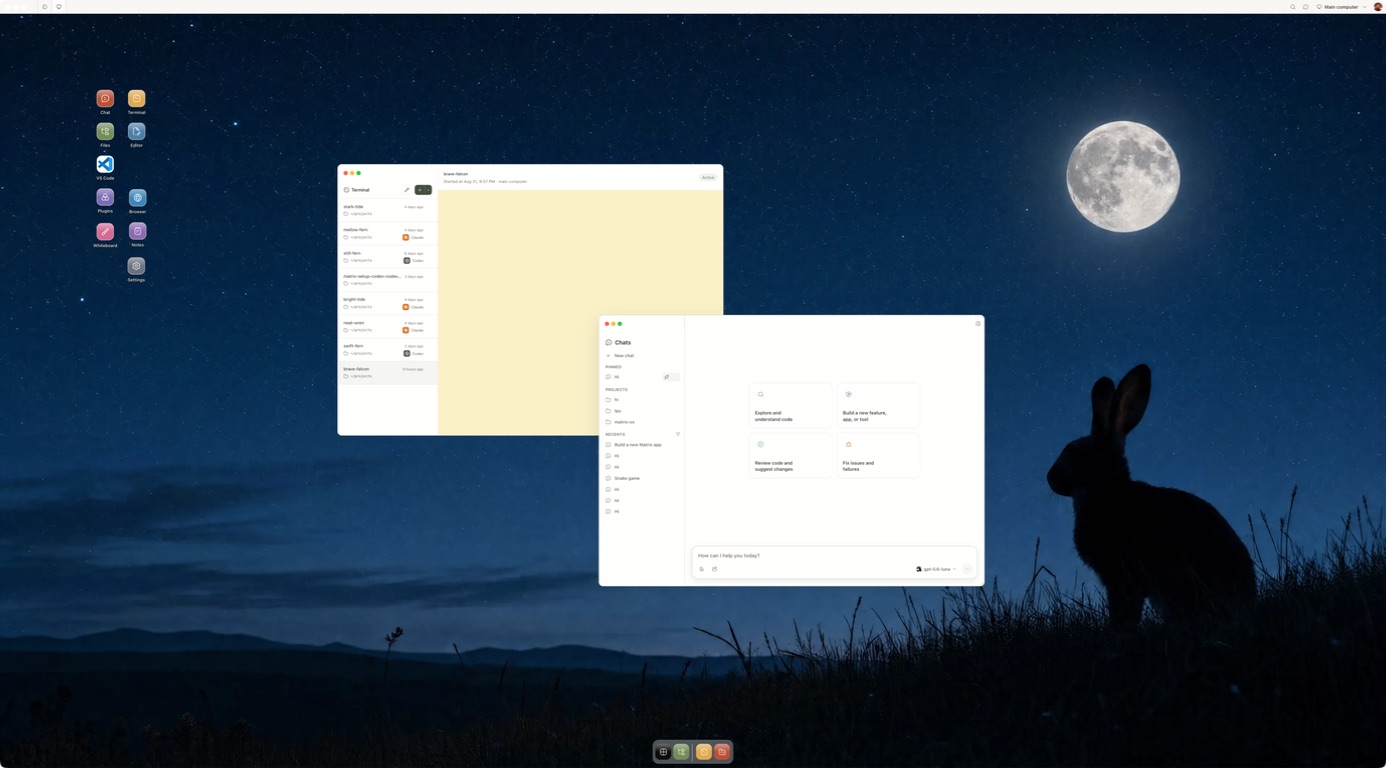
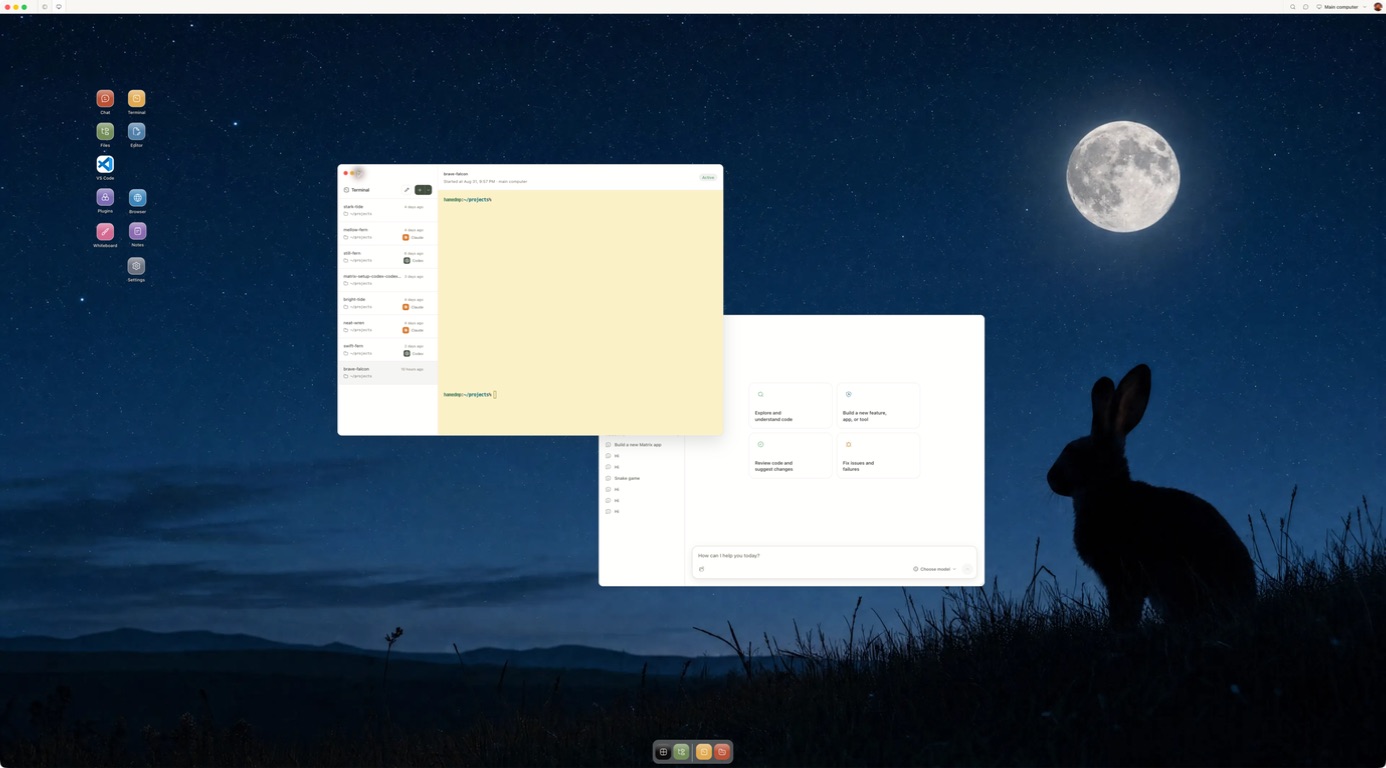
Competitor artwork is reproduced from public product materials for identification. Matrix images show the current Desktop product.
Why Matrix
Matrix is a place for agents to work across projects and providers. These are the practical reasons teams add it to their stack.
Use Claude Code, Codex and other compatible native agents in the same computer. Configure Hermes with the model and provider that fit the job.
Create agentsChoose the computer plan and model provider separately. Check each provider's usage and billing before a long-running job; Matrix does not promise a universal spend cap.
Matrix pricingGive connected services only the access a task needs. Inspect the workspace and review consequential output before it leaves your team.
Security and privacyWork on a persistent computer with files, browser, terminal and running services. Manual self-hosting on your own VPS is available in Preview, with different setup and feature coverage from managed Cloud.
Self-host PreviewShare live Chat or terminal sessions with owner, editor and viewer roles, so people can review the same work together.
CollaborationMatrix is built in Europe, supports EU and UK teams, and offers German compute locations for the computer. Check provider and connected service regions separately.
EU and UKAsk our team about the up-to-€1m guarantee program for qualifying engagements. Coverage and eligibility are supplied through sales.
Explore the programPractical checklist
Use these questions as a starting point. Product features and plan terms change, so check the provider before deciding.
| Question | OpenAI Dots | Matrix OS |
|---|---|---|
| At a glanceWhat is the durable product? | One primary personal Dot in ChatGPT at launch, powered by GPT-6 Astra. | A persistent computer for human and agent work. |
| Can you choose the agent? | The OpenAI Dot experience; it can start supported Codex or Work tasks. | Claude Code, Codex and other installed native agents; Hermes has configurable model providers. |
| AccessWhere do you talk to it? | ChatGPT, plus supported Slack, Teams and voice access as rollout allows. | Desktop, web, CLI and a phone browser for the same computer. |
| ToolsWhat can it use? | A cloud computer and browser, plus OpenAI's broad app-plugin catalog. | Files, browser, terminal, repositories and running services; connected actions depend on setup. |
| ContinuityHow does it keep working? | Dot memory, feedback, scheduled work and proactive read-only research within plan allowances. | Configured workflows and schedules; Builder and Max computers stay on, while Starter sleeps. |
| ControlWhat can you inspect or approve? | Inspect the Dot computer; Custom Rules and approvals govern sensitive actions. | Open the files, terminal and browser directly; set connected-service access and review consequential work. |
| Where does context live? | Dot memory and connected context in OpenAI's hosted product. | Saved chats, project files, instructions, skills and named sessions in the workspace. |
| OwnershipCan you host the runtime? | OpenAI-hosted service. | Managed Matrix Cloud or manual self-hosting in Preview, with different feature coverage. |
| Practical fitHow is it paid for? | Eligibility and usage depend on the ChatGPT plan; Codex and Work tasks still use their usual limits. | Computer plan plus any separate agent or model-provider charges. Check both before a long task. |
| What about the EU and UK? | Pro rollout excludes the EEA, Switzerland and UK at launch; Business Premium and Enterprise beta have different eligibility. | Built in Europe; EU and UK access with German computer regions available. Check connected providers separately. |
Framework adapted from Every's personal agents comparison; Matrix answers are based on our current product documentation.
The details
We publish these comparisons ourselves. Follow the linked product sources and test one task before you choose.
OpenAI Dots give you an OpenAI agent that can keep working across connected apps. Matrix OS gives you a persistent computer where you can run the native agents you choose. Both can support work beyond a single chat. Dots package a personal assistant inside ChatGPT. Matrix puts the computer, browser, files, connected tools and agent choice at the center of the experience.
OpenAI announced Dots on September 29, 2026. Launch features and eligibility can change, so check the official announcement and Help Center alongside this comparison.
| Question | OpenAI Dots | Matrix OS |
|---|---|---|
| Primary product | A personal, always-on OpenAI agent in ChatGPT | A persistent Linux computer for human and agent work |
| Agent choice | OpenAI Dot powered by GPT-6 Astra; can start supported Codex or Work tasks | Install native tools such as Claude Code, Codex, OpenCode and Pi in the same environment |
| Computer access | Inspect the Dot's cloud computer; optional local-computer permission | Operate your Matrix computer through supported web, CLI, terminal, IDE and SSH-compatible paths |
| Connected work | Broad app connections, Dot memory, scheduling, proactive research and supported channels | Supported Gmail, Calendar, Drive, GitHub, Slack, Discord, Granola and X actions; Hermes workflows and schedules depend on setup and plan |
| Continuity | The Dot learns from feedback and connected context | Saved chats, project files, instructions, skills and persistent sessions keep context in your computer |
| Background work | Always-on Dot within plan allowances | Always-on computer on Builder or Max; optional scheduled workflows and agent sessions |
| Communication | ChatGPT, Slack, Teams and voice conversation, subject to rollout | Web, desktop, CLI and phone browser; optional messaging runtimes for supported channels. No built-in Dot-style call experience |
| Parallel work | One primary Dot at launch; more Dots planned | Multiple native agent sessions and separate Git worktrees, with Symphony for coding coordination |
| Ownership | OpenAI-hosted service | AGPL runtime, managed Matrix Cloud or manual self-hosting in Preview |
| Best fit | A managed agent for knowledge work across connected apps | Developers and small teams whose work needs a durable, inspectable environment |
OpenAI designed Dots to carry responsibility across time. A Dot can learn from your feedback, use connected apps, perform scheduled work, research proactively with read-only app access, and message you for progress or decisions. It has a cloud computer and browser, but you generally approach it as an agent in ChatGPT. Custom Rules and approvals govern sensitive actions. OpenAI is separately piloting specialist Dots for organizations.
That is a compelling proposition for a founder, creator or operator who wants a packaged personal agent across documents, calendar, messages and research. If this is the exact job you need and your account is eligible, start with OpenAI's setup guide or our first-day walkthrough.
Matrix starts with the computer. You can keep a repository, dependencies, files, local data, development services and named terminal sessions in one environment. Use Claude Code on one task and Codex on another without making either vendor's agent the container for the entire workspace. A human can inspect and operate the same machine.
Matrix also has supported connections for everyday work. With the right permissions, an agent can read or act through services such as Gmail, Calendar, Drive, GitHub, Slack, Discord, Granola and X. Hermes can run connected and recurring workflows on a configured model; Builder or Max is needed for always-on background work. Matrix chats, project files and saved instructions give you durable context. This is not the same as the Dot's automatic personal memory or its full plugin catalog. See the integration reference for current actions.
Matrix Cloud operates provisioning, routing, updates and backup infrastructure. The runtime is open source, with a manual self-host path in Preview. Matrix does not claim equal behavior for every agent, a finished provider-independent task history, or a fully complete enterprise governance layer. Learn more on the Matrix introduction and Quickstart.
Matrix gives you a real project computer, native agent choice, direct access to files and processes, and an open runtime. Dots packages a personal assistant inside OpenAI's service. If you want work that remains inspectable and usable across agents, make Matrix the environment where that work lives.
A simple first Matrix task is a repository change, a running service or a toolchain you need to revisit. Name the durable output and approval boundary, then inspect the result and permissions before broadening the task. Open the Matrix quickstart.
OpenAI's September 29 launch excludes Pro rollout in the EEA, Switzerland and UK, but says Business Premium is available across supported ChatGPT regions and Enterprise beta can be enabled by an administrator. Gradual rollout still applies. See our plan-by-plan EU and UK guide and OpenAI's live guidance. Matrix is built in Europe and supports EU and UK users, with German computer regions available during setup. Check live signup and checkout for your account and preferred region.
Open a Matrix computer, bring in a small repository and run one bounded coding task with your preferred native agent. Inspect the changed file and test result, then disconnect and reconnect to the same environment. If that works, try a second agent in a separate branch or worktree. The Quickstart has the current steps, while what is Matrix? explains the product in two minutes.
Considering the other newly launched agents too? Read the Dots, Grok Bot, Muse and Matrix comparison.
Inside Matrix
Start with a task you can review.
Meet Matrix OS