A computer of their own
Your Matrix computer has a browser, files, terminals, repositories, and running services. Open it yourself to see what an agent is doing and what it actually produced.
Explore the workspaceOne computer for the agents you choose. Give them a browser, files, and tools, then open the work yourself.
See how it works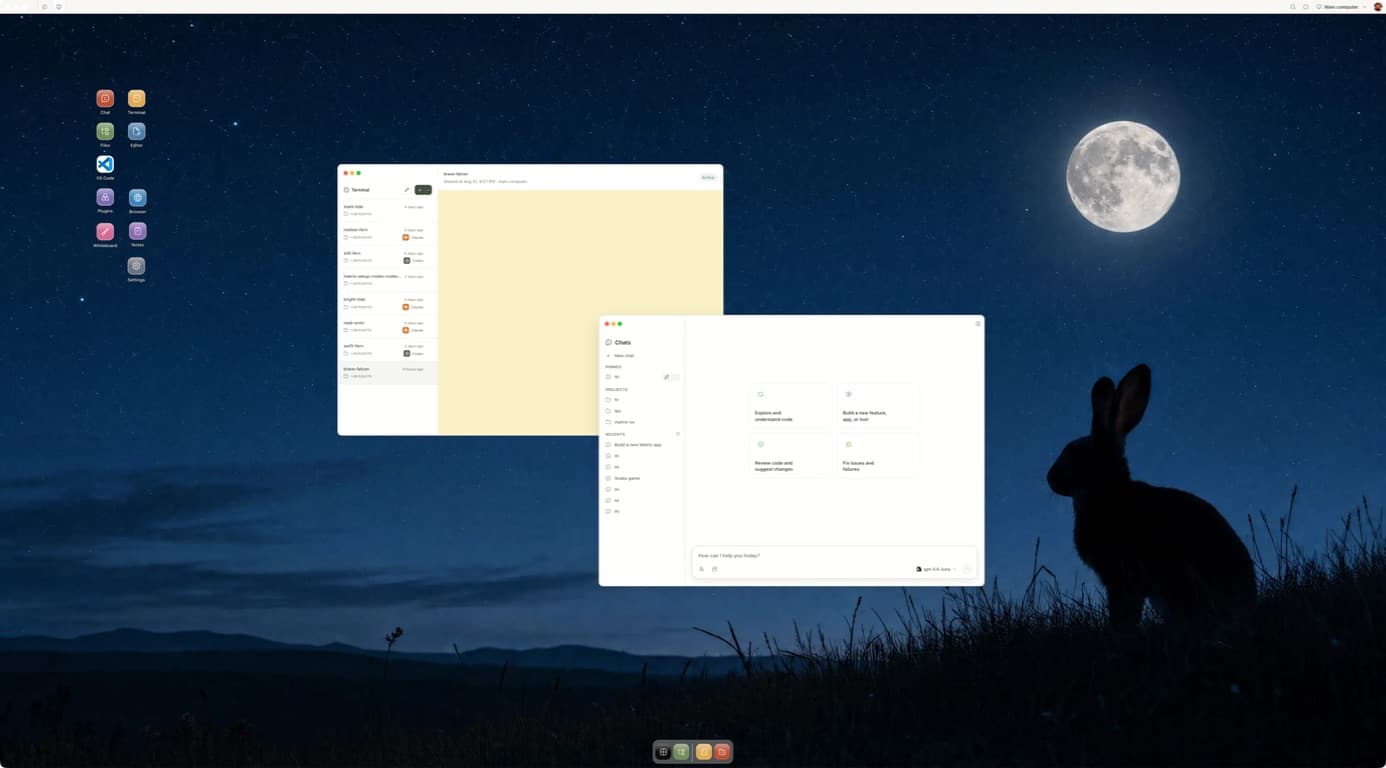
The idea
An agent is more useful when it can do more than answer a question. Give it a real computer, access to the right tools, a clear task, and room to keep working. Then open the work yourself: the files, the browser, the terminal, the decisions waiting for you.
What Matrix makes possible
Your Matrix computer has a browser, files, terminals, repositories, and running services. Open it yourself to see what an agent is doing and what it actually produced.
Explore the workspaceOn Builder and Max, your computer stays on when your laptop closes. Leave an agent in a named session, run a recurring workflow, and reconnect to the same work later.
See how to startConnect supported services including GitHub, Gmail, Calendar, Drive, Slack, Discord, Granola, and X. The actions available depend on each connection and the access you grant.
See integrationsRun Claude Code, Codex, Cursor, OpenCode, Pi, or Gemini CLI in the environment they need. Hermes can handle connected workflows with the model and provider you configure.
See supported agentsChats, project files, and saved instructions live with your computer. Turn useful feedback into a project note or skill, so the next run begins with the standards you chose.
See project contextGive agents separate sessions and Git worktrees so they can work in parallel. Symphony helps coordinate coding tasks and brings the resulting changes back for human review.
Explore SymphonyIn practice
Start with a real outcome, connect only what it needs, and decide where the agent should stop for review.
Connect the source of feedback, point a coding agent at the repository, and let it investigate on its own branch. Come back to the changed files, test output, and a reviewable PR instead of an unverified summary.
A useful first task for an engineering team.Give Hermes a bounded recurring job: gather the updates from the tools you connected, assemble a report in your workspace, and flag the decisions that still need you. Review the source material before you act.
Scheduled background work requires Builder or Max.Bring a transcript or meeting notes into the computer. Ask your agent to find the strongest ideas, prepare a brief, and draft the next assets in your own files. Save your edits as guidance for the next round.
Your voice and final approval stay with you.Clone a repository, install your tools, start a service and open a named terminal session. They belong to the computer, not to a single chat. Leave one supported client and return to that same environment.
Saved files remain when a process stops. A running agent still depends on the computer, its credentials and its own provider limits. Matrix makes those boundaries visible so you can inspect the actual result.
Claude Code, Codex, OpenCode and other compatible native tools can work in the same computer. Use separate branches or worktrees when they edit in parallel, then review the files and tests yourself.
Matrix Cloud runs the computer for you. The runtime is open source, and manual self-hosting is in Preview. Cross-provider task history, review and recovery are still developing.
Open your Matrix computer in the web app or desktop app. Connect from your own terminal with the CLI. On a phone, use the browser workspace to check in; the native mobile app is in early access.
For messaging workflows, configure Hermes or OpenClaw on your computer and connect a supported channel. Channel availability and model setup depend on the runtime you choose. Your saved files and sessions remain on the Matrix computer.
Your call
Choose which services to connect and what a workflow may do. Ask for drafts before messages or posts go out. Keep consequential actions behind a review step.
Inspect the computer, the source files, and the outputs yourself. Use separate branches for parallel coding work. Agent and provider limits still apply, and every important result deserves a human check.
Built in Europe
Matrix is built in Europe and supports people and teams in the EU and UK. Choose an available compute region during setup, including German locations for the computer itself. Your selected region appears in your computer settings.
Region selection describes where the computer runs; it is not by itself a guarantee about every connected service, model provider, or legal data residency requirement.
Explore regions and setupA small, reviewable result is the quickest way to see whether a persistent computer belongs in your workflow.
Open Matrix and choose a computer.
Bring in a sample repository and start your preferred agent.
Ask for one bounded change. Review the file and test result, then reconnect.