Choose the agent and model
Use Claude Code, Codex and other compatible native agents in the same computer. Configure Hermes with the model and provider that fit the job.
Create agentsCompare Matrix / OpenAI Codex
Run Codex alongside your other agents in a computer you can reopen, inspect and operate.
 Matrix OSKeep the workspace. Choose the agents.
One project. Work you can inspect.
A closer look
Official competitor artwork and actual Matrix Desktop screenshots. The artwork identifies each product; it is not a screenshot of its interface.

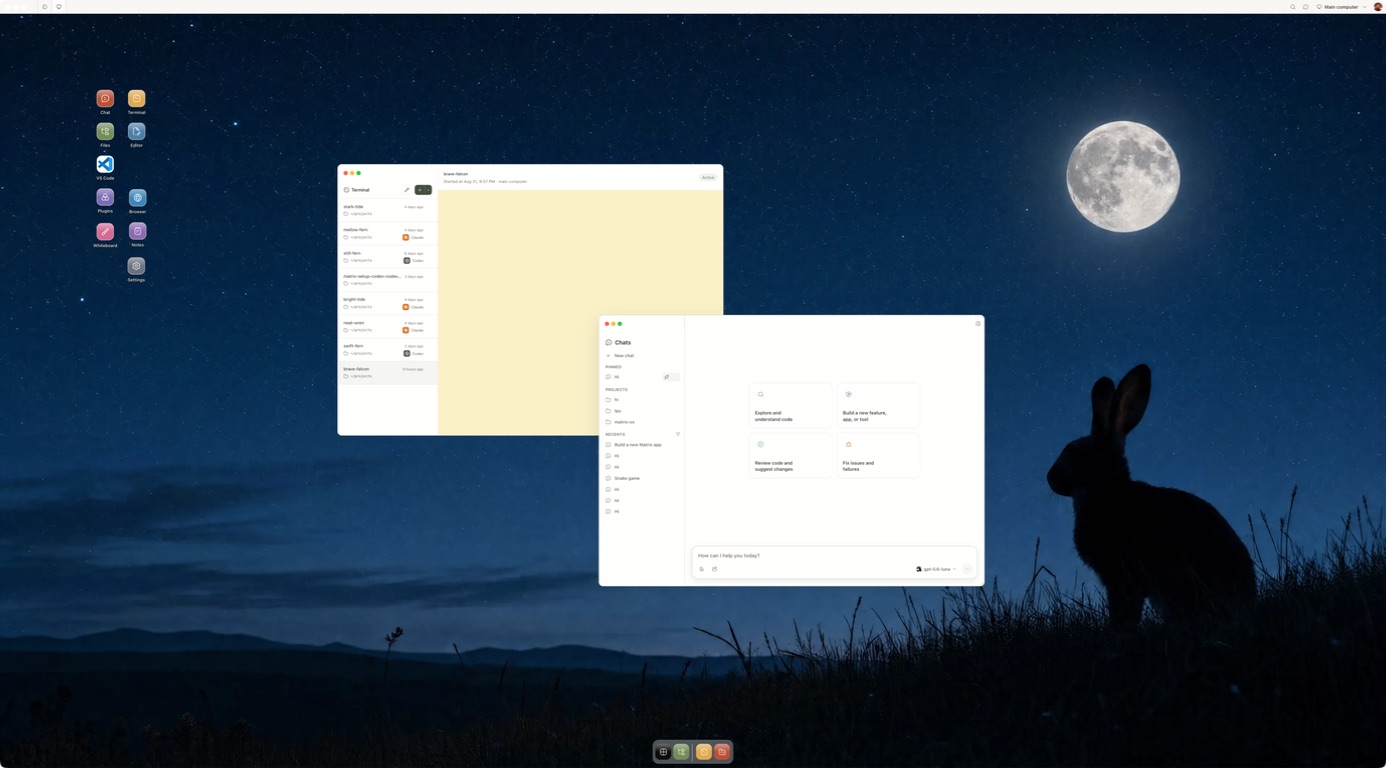
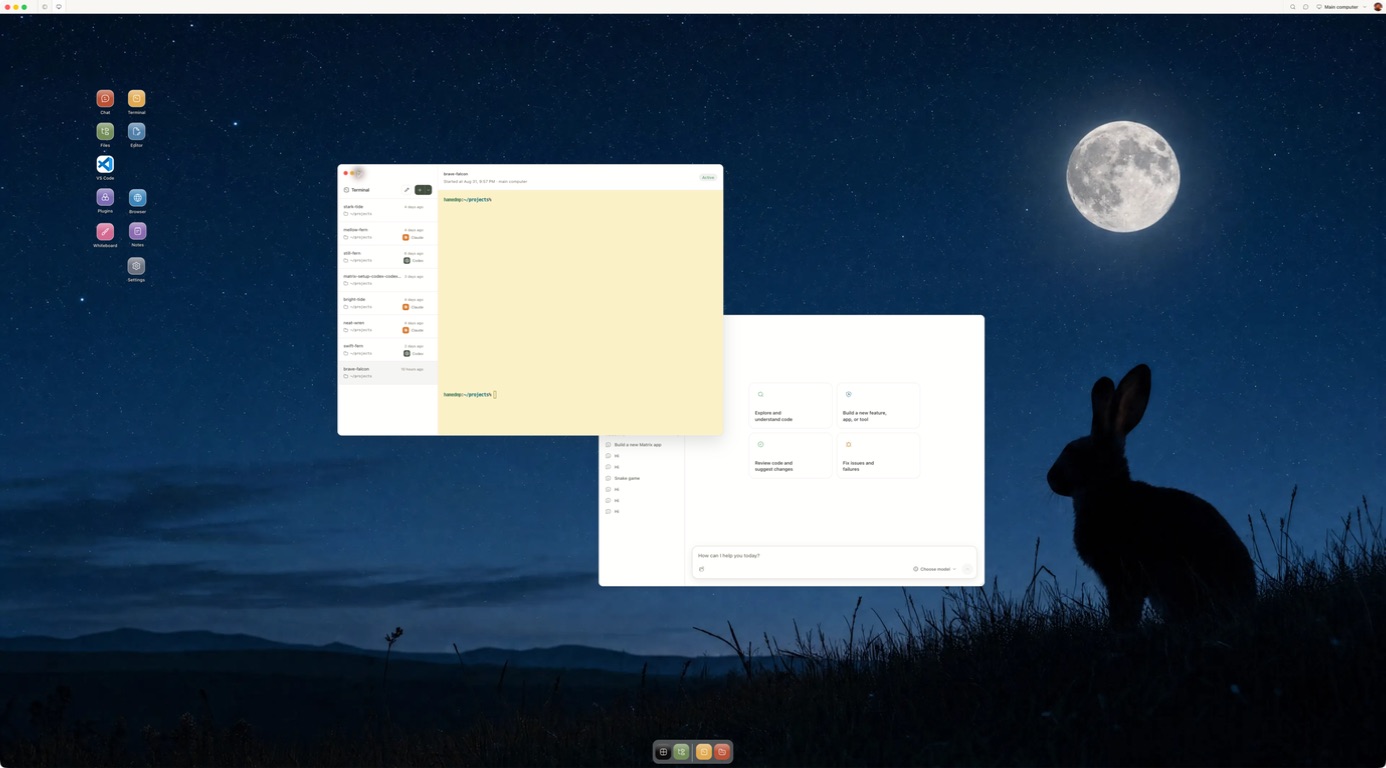
Competitor artwork is reproduced from public product materials for identification. Matrix images show the current Desktop product.
Why Matrix
Matrix is a place for agents to work across projects and providers. These are the practical reasons teams add it to their stack.
Use Claude Code, Codex and other compatible native agents in the same computer. Configure Hermes with the model and provider that fit the job.
Create agentsChoose the computer plan and model provider separately. Check each provider's usage and billing before a long-running job; Matrix does not promise a universal spend cap.
Matrix pricingGive connected services only the access a task needs. Inspect the workspace and review consequential output before it leaves your team.
Security and privacyWork on a persistent computer with files, browser, terminal and running services. Manual self-hosting on your own VPS is available in Preview, with different setup and feature coverage from managed Cloud.
Self-host PreviewShare live Chat or terminal sessions with owner, editor and viewer roles, so people can review the same work together.
CollaborationMatrix is built in Europe, supports EU and UK teams, and offers German compute locations for the computer. Check provider and connected service regions separately.
EU and UKAsk our team about the up-to-€1m guarantee program for qualifying engagements. Coverage and eligibility are supplied through sales.
Explore the programPractical checklist
Use these questions as a starting point. Product features and plan terms change, so check the provider before deciding.
| Question | OpenAI Codex | Matrix OS |
|---|---|---|
| At a glanceWhat is the durable product? | OpenAI's coding agent across app, CLI, IDE and cloud workflows. | A persistent computer for human and agent work. |
| Can you choose the agent? | Codex and its supported OpenAI models. | Claude Code, Codex and other installed native agents; Hermes has configurable model providers. |
| AccessWhere do you use it? | Codex app, CLI, IDE and supported cloud tasks. | Desktop, web, CLI and a phone browser for the same computer. |
| ToolsWhat can it use? | Files and tools in the selected local worktree or Codex cloud environment. | Files, browser, terminal, repositories and running services; connected actions depend on setup. |
| ContinuityHow does it keep working? | Cloud tasks and supported Automations can run in the background. | Configured workflows and schedules; Builder and Max computers stay on, while Starter sleeps. |
| ControlWhat can you inspect? | Diff review, comments, CLI output and cloud task results. | Open the files, terminal and browser directly; set connected-service access and review consequential work. |
| Where does context live? | Project threads, skills and task history in Codex's chosen workflow. | Saved chats, project files, instructions, skills and named sessions in the workspace. |
| OwnershipCan you host the runtime? | Use your local machine or OpenAI's managed cloud environments. | Managed Matrix Cloud or manual self-hosting in Preview, with different feature coverage. |
| Practical fitHow is it paid for? | ChatGPT plan allowances or API usage, depending on setup. | Computer plan plus any separate agent or model-provider charges. Check both before a long task. |
| What about the EU and UK? | Check current Codex plan and feature availability for your region. | Built in Europe; EU and UK access with German computer regions available. Check connected providers separately. |
Framework adapted from Every's personal agents comparison; Matrix answers are based on our current product documentation.
The details
We publish these comparisons ourselves. Follow the linked product sources and test one task before you choose.
OpenAI Codex is a coding agent and an increasingly complete development workflow. Matrix OS is a persistent computer that can run Codex alongside other native agents. Codex and Matrix can be used together. The decision is whether Codex's own app, CLI, IDE and cloud environments hold everything your project needs, or whether you want a separate computer as the durable home for your files and services.
OpenAI's current Codex page describes parallel agents, cloud environments, worktrees, skills and scheduled background work. Its app announcement explains diff review and local worktree workflows. Codex is not limited to a single chat or a laptop-bound terminal.
| Question | Codex through OpenAI | Codex on Matrix OS |
|---|---|---|
| Core product | OpenAI coding agent across ChatGPT, desktop, CLI, IDE and cloud | Persistent computer that can run Codex and other native agents |
| Parallel tasks | Built-in project threads and worktrees | Multiple sessions and worktrees on one computer; optional Symphony coding coordination |
| Background tasks | Codex cloud work and supported Automations | An always-on computer on Builder or Max; configured scripts and workflows |
| Project state | Depends on Codex's selected local or cloud environment | Repositories, files, dependencies, browser and services stay on your Matrix computer |
| Agent choice | Codex models and tools in OpenAI's workflow | Codex, Claude Code, OpenCode, Pi and other installed tools |
| Review | App diff review, comments, CLI output and cloud task results | Direct file, terminal, browser and process inspection; agent-specific review tools still apply |
| Hosting | OpenAI services or your local machine, depending on surface | Managed Matrix Cloud or manual self-host Preview runtime |
Codex provides integrated project threads, cloud tasks, worktrees and review. The Codex app shows changes and supports diff comments. Its CLI and IDE extension run in your development environment, while cloud tasks use OpenAI's environment. Matrix can host the native Codex tool in a project computer you can also use with other agents.
The key question is where the result and dependencies must remain. If a bounded pull request is the output, Codex's own cloud workflow may be sufficient. If the task relies on a stateful development server, local browser, database or other running service between tasks, decide which machine should keep those resources available.
Matrix keeps the machine and project state in your control. Run Codex in a Matrix terminal against a repository, inspect its work, then run Claude Code or another agent in a separate session or worktree on the same computer. You can keep the project files, services and browser available between agents. Matrix Cloud manages the computer infrastructure; Builder and Max are the always-on plans, while Starter sleeps.
Matrix does not reproduce every Codex app feature, cloud automation or OpenAI account benefit. It provides a place where the native Codex tool can work alongside your other tools. The Matrix introduction, Quickstart and Codex CLI guide show the current setup. Matrix is built in Europe, supports EU and UK users and offers German compute regions.
Run Codex inside Matrix on a small repository issue with an acceptance test. Check the diff, test result, state retained after disconnecting and how another agent can pick up the same project. Start with Matrix, then see Matrix vs Claude Code and the broader comparison library.
Inside Matrix
Start with a task you can review.
Meet Matrix OS