
01
Install the desktop app
Download the latest build for Apple silicon, Intel Mac, Windows, or Linux, then open Matrix OS Desktop. Desktop is the primary way to create and enter your Matrix workspace.
Guided in the app
Matrix OS Desktop · macOS, Windows, and Linux
The self-expanding OS in a desktop app. Build apps, chat with supported AI agents, connect your tools, and work in Terminal—all on your private cloud computer.
14-day trial · Card required · Cancel before renewal
Always-on computers start at $20/month. Choose a larger plan for more capacity.
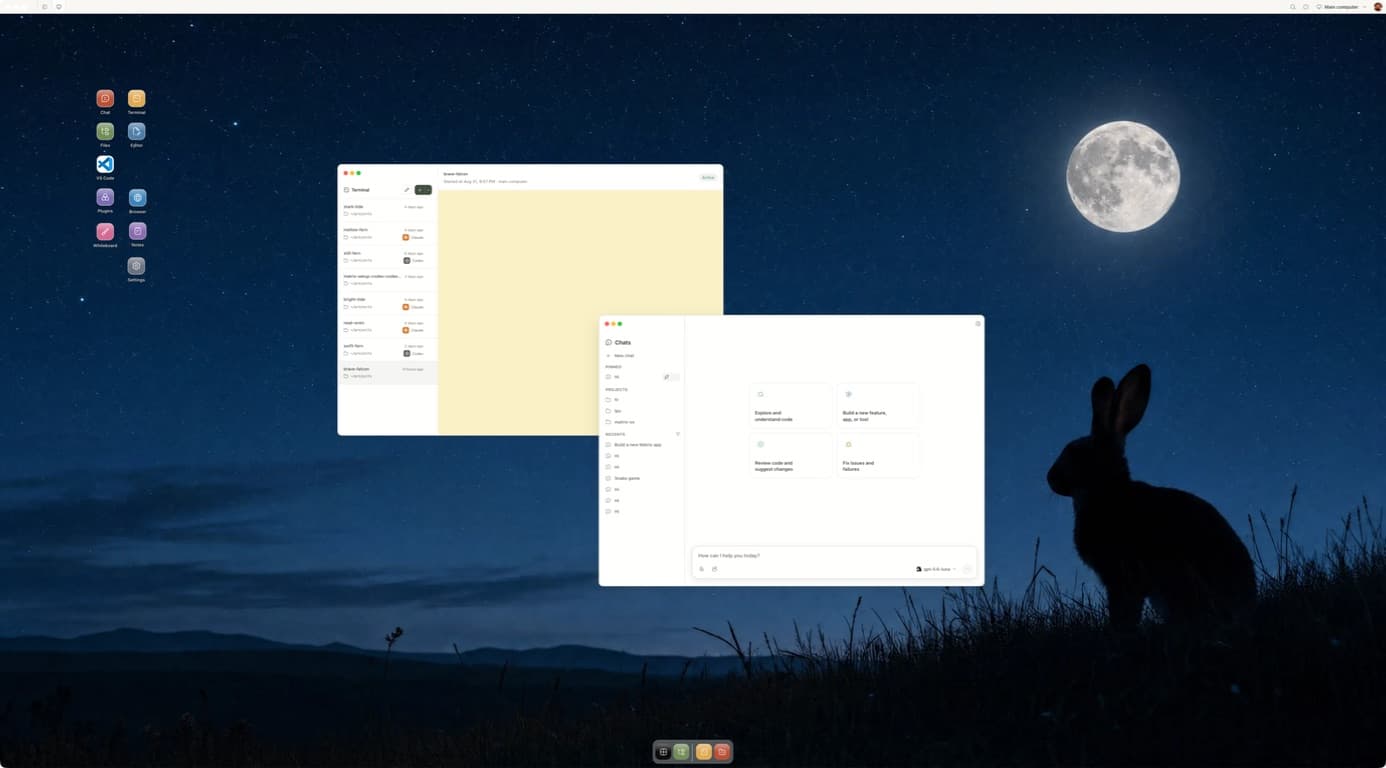
Inside the app
Every view below was captured from the Matrix OS Desktop app running on the computer used to build this page.
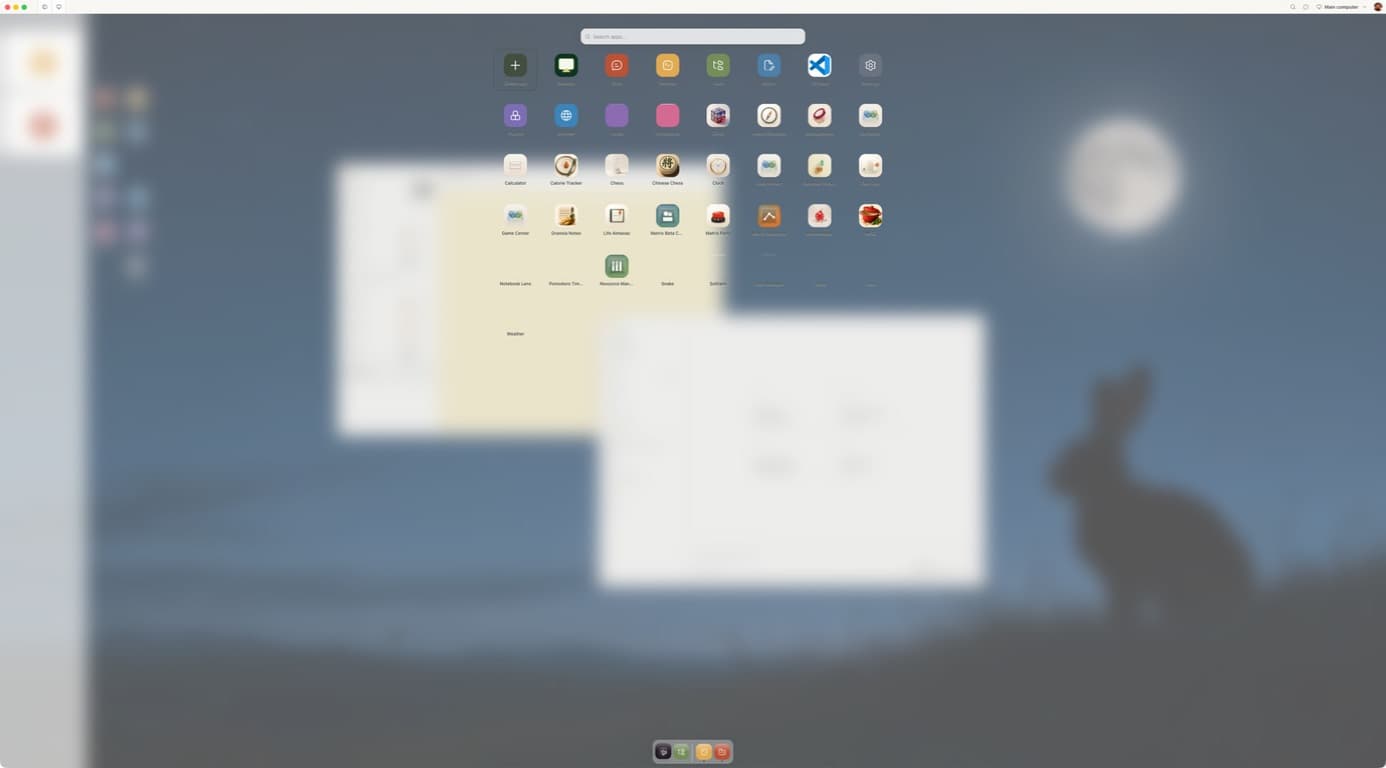
Open developer tools, connected apps, and the software you build without losing the workspace underneath.
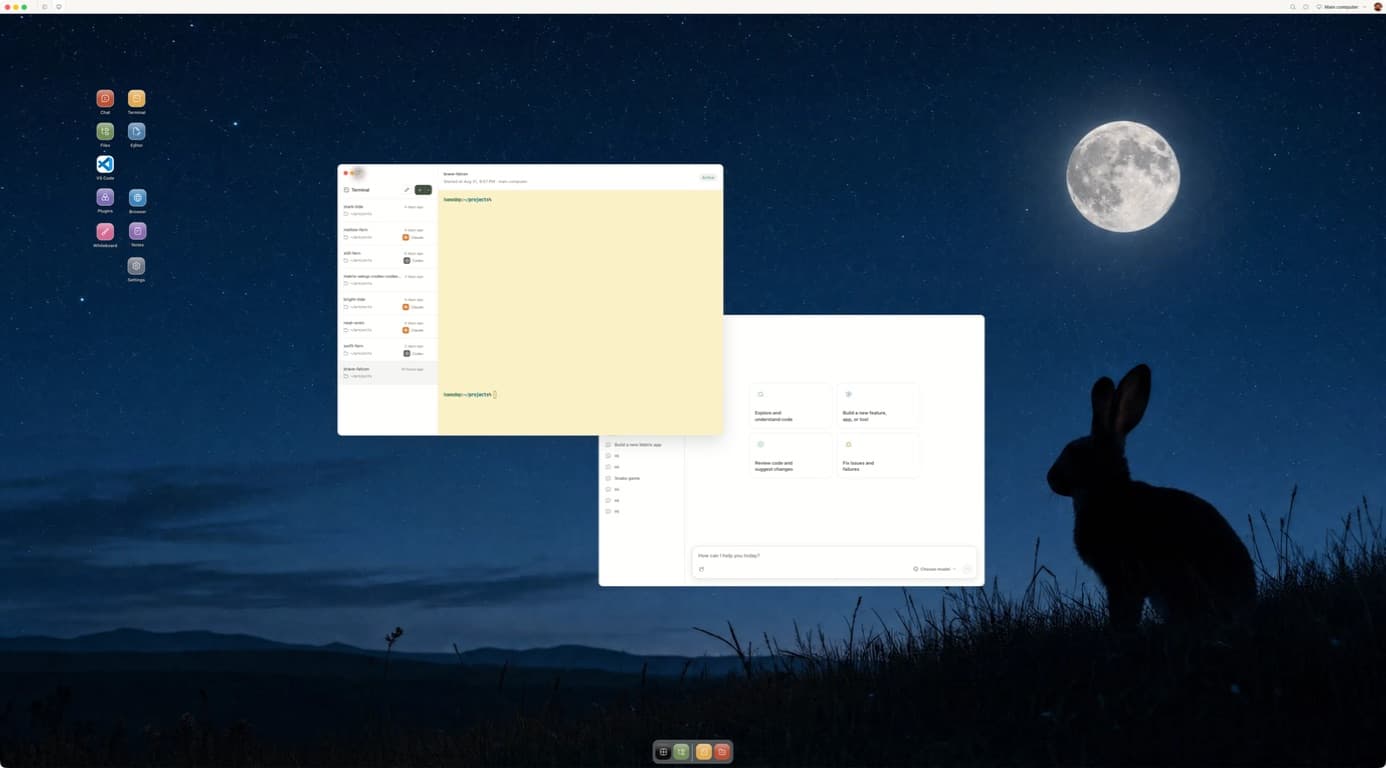
Named Terminal sessions are shared with the web shell and CLI. Reconnect to Claude, Codex, or a dev server with its scrollback intact.
Compute · Integrations · Inference
A self-expanding OS grows with your work. Start with Chat, Terminal and your connected tools. Describe the apps you need, then add them to the computer you use every day.
Build apps, run agents in a terminal, and keep your files and database in one private cloud workspace. Open the desktop yourself whenever you want.
Explore Matrix DesktopConnect supported services such as GitHub, Google Drive, Gmail, Calendar and Slack. Give your agent the context and actions the task needs, with your permission.
Explore integrationsChat and work through supported agents including Claude Code, Codex, Gemini CLI and Pi. Bring your own provider accounts, subscriptions or API keys through supported login flows.
See supported agentsAn example workspace
Your Matrix computer
Apps, agents and files share the same workspace.
Build an app. Use it. Keep improving it.
Always-on computers start at $20/month. Agent usage and plan limits still apply.
We’re building our own AI gateway for Matrix. Join the waiting list for early access and product updates.
Explore the AI gateway waitlistActivation guide
Follow these steps once. Authentication stays with each provider's own browser or device flow—no copied tokens, no laptop private keys.
Download the latest build for Apple silicon, Intel Mac, Windows, or Linux, then open Matrix OS Desktop. Desktop is the primary way to create and enter your Matrix workspace.
Choose Create account or Sign in in Matrix Desktop. A secure browser window handles Clerk authentication, so the desktop app never sees your password or OAuth credentials.
Already have a Matrix computer? Sign in and select it—your files, sessions, and apps return immediately.
Choose your compute size and region, then complete Stripe Checkout on the web. Your first primary computer starts with a 14-day free trial; a card is required and the exact first-charge date is shown before you confirm.
After provisioning, the signed approval page returns you to Matrix Desktop and opens the app. Keep the browser tab open until Desktop is in focus.
Open Terminal in Matrix and use GitHub CLI's browser flow. Complete GitHub CLI's SSH key setup on this Matrix computer when prompted. This creates a Matrix-managed SSH key inside the runtime. Only the public key leaves your Matrix computer; the private key stays there.
gh auth login --hostname github.com --web --git-protocol sshOpen Terminal, click +, and choose Claude Code or Codex. Matrix runs a visible installer when the tool is missing. Then run claude or codex and complete the provider-owned browser login. Do not paste API keys into chat, docs, or shared terminal output.
export MATRIX_NODE_PREFIX="${MATRIX_NODE_PREFIX:-/opt/matrix/runtime/node}"
npm install -g --prefix "$MATRIX_NODE_PREFIX" @anthropic-ai/claude-code@latest
# or
npm install -g --prefix "$MATRIX_NODE_PREFIX" @openai/codex@latestClone the repository into ~/projects, then open the same named terminal from Desktop, the web shell, or the Matrix CLI. The process stays on your Matrix computer when this laptop sleeps.
mkdir -p ~/projects
cd ~/projects
git clone git@github.com:owner/repo.git
Optional, highly recommended
The desktop app is enough to work. The CLI and Matrix skills make it much easier to reconnect from a local terminal, run observable jobs, and migrate active projects safely.
Read the Matrix skills guideLog in through the browser, then verify the selected computer before handing work to an agent.
brew install finnaai/tap/matrix
# or: npm install -g @finnaai/matrix

matrix login --profile cloud
matrix doctor
matrix whoamiAdds matrix-onboarding, matrix-cloud-run, and matrix-github-project to supported local agents.
curl -fsSL https://matrix-os.com/install/skills | shThe optional matrix-handoff skill creates a filtered preview and approval token before upload. It refuses changed scopes and never copies local credentials, private keys, .env files, dependencies, or build output.
pnpm dlx skills@1.5.23 add https://github.com/HamedMP/matrix-os/tree/main/.agents/skills/matrix-handoff --global --allStart a new agent session, then ask: Use $matrix-handoff to move this project to Matrix with Codex.
14-day trial · Card required · Cancel before renewal