

Hermes and OpenClaw
Configure an optional messaging runtime for Telegram, WhatsApp, and other connected channels.
Matrix OS has two separate agent layers. Chat stays on the Matrix kernel across the web and mobile shells. Hermes and OpenClaw are optional messaging runtimes for Telegram, WhatsApp, and other connected channels.
Matrix Chat is independent
Installing, configuring, or switching a messaging runtime does not replace the Matrix kernel used by Chat. If no messaging runtime is configured, Chat continues to work normally.
Choose a messaging runtime
Open Settings → Agent to see both runtimes. One can be selected at a time: the selected runtime is highlighted as active, while the other remains installed but stopped. Matrix performs the switch and reports the resulting service health in the same panel.
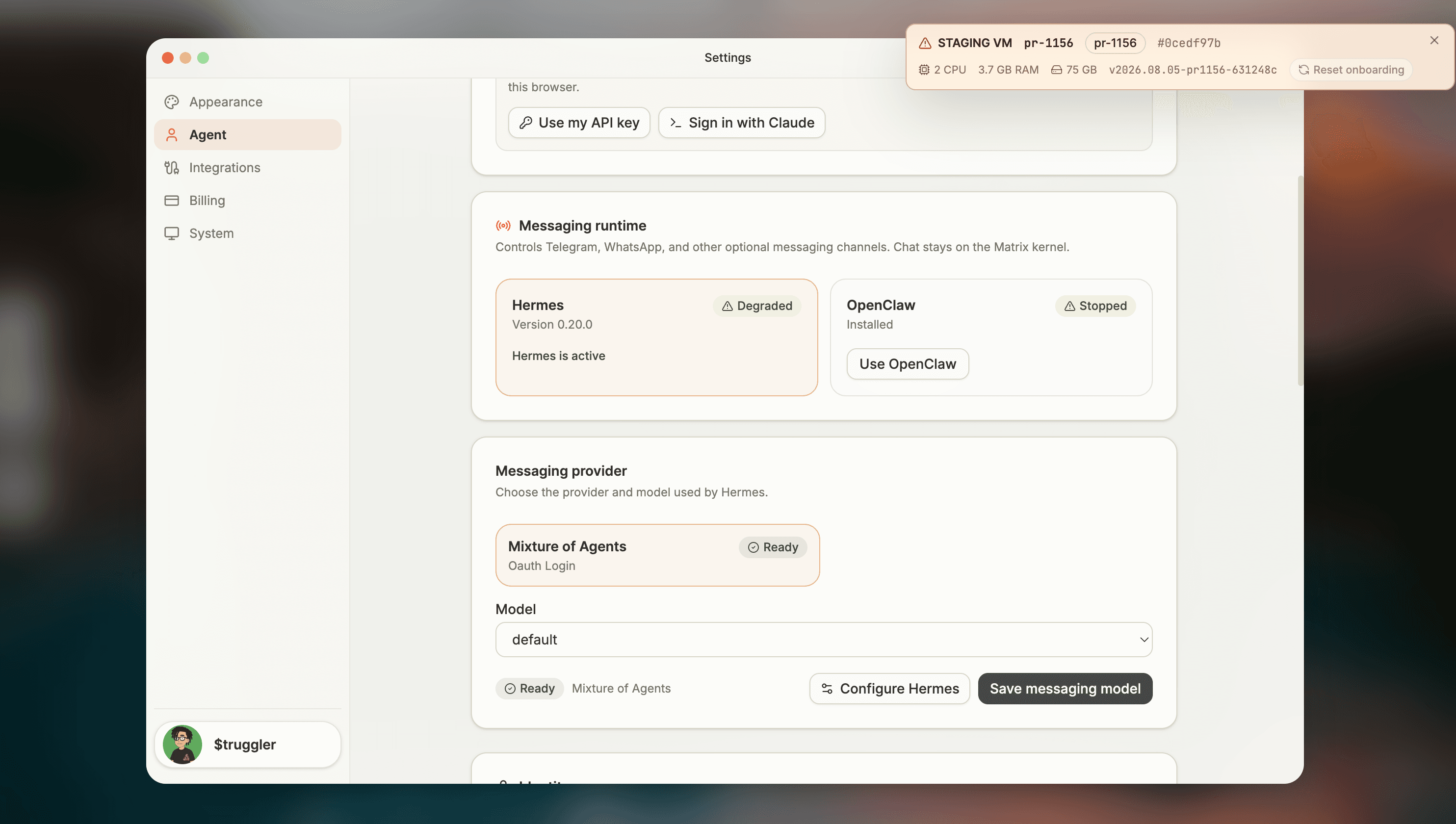
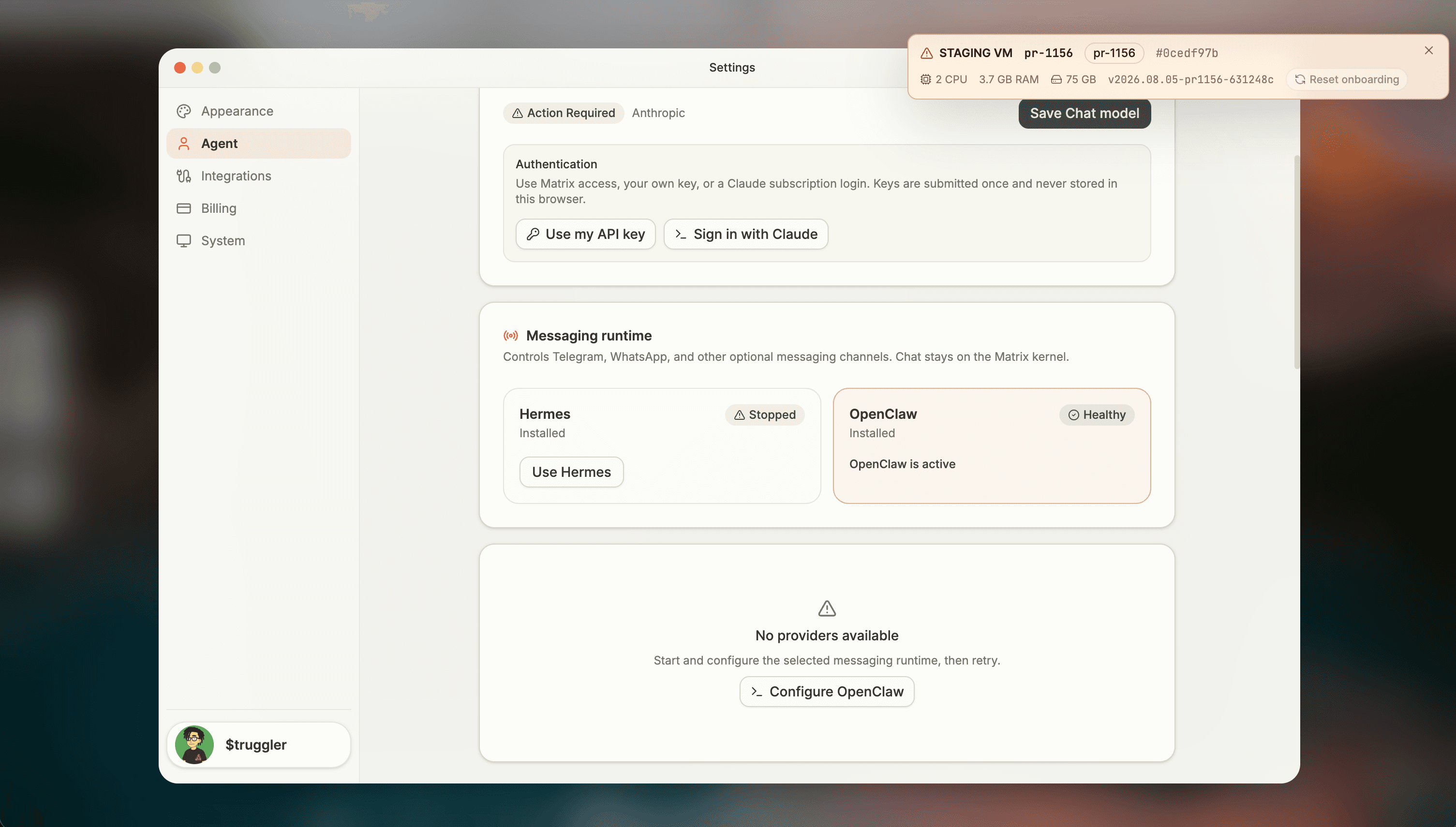
Runtime health and provider readiness are separate. For example, a runtime can start successfully while still showing No providers available until you finish its model authentication. A Degraded or action-required state means you should inspect the provider configuration before expecting replies from connected channels.
Configure Hermes
Hermes is model-agnostic. Its main model handles core reasoning, and auxiliary model slots can inherit that choice or use their own providers.
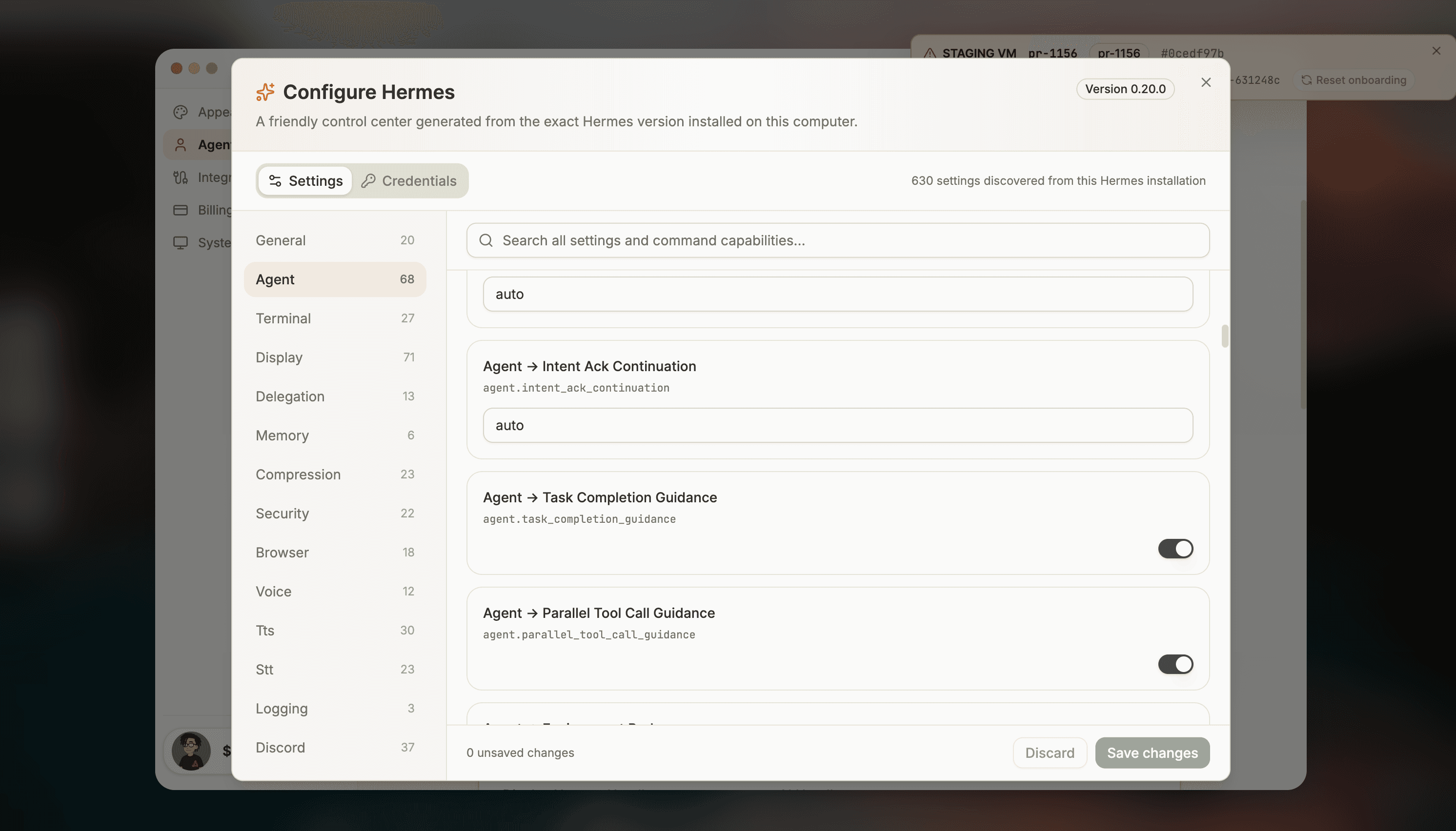
The Configure Hermes panel reads the configuration capabilities published by the exact Hermes version installed on your computer. Matrix currently verifies this integration against Hermes Agent 0.20.0. The panel renders supported boolean, number, choice, text, and list values as typed controls, and keeps changes local until you select Save changes.
This follows the pinned Hermes Config dashboard and configuration contracts. For model slots and supported providers, see the Hermes model configuration docs.
Add Hermes credentials
Open the Credentials tab to add or replace a provider credential. Secrets remain write-only: Settings shows connection state and a redacted preview, never the full stored value. Messaging channel secrets remain in their dedicated channel setup rather than being duplicated here.
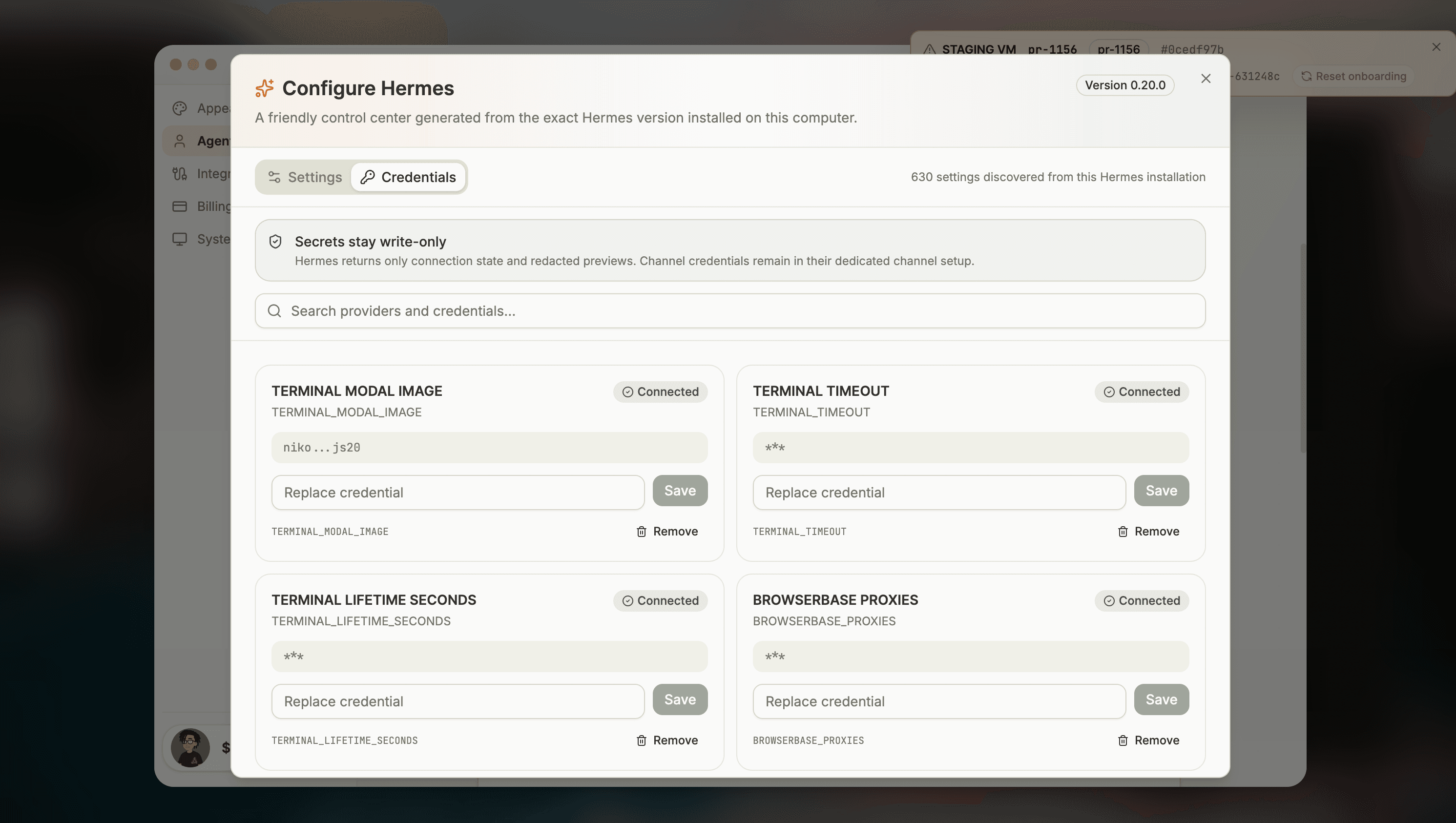
The credentials view follows the pinned Hermes dashboard API Keys documentation
and environment-variable reference.
Hermes configuration remains owner-controlled in files under ~/.hermes/; Settings is a renderer
for that configuration, not a separate platform copy.
Before Hermes can respond
Hermes needs both a selected main model and a usable credential for that model's provider. If either is missing, Hermes may be installed or running but cannot complete inference for connected messaging channels. Finish provider setup before using a channel to verify real replies.
To verify inference independently of a messaging channel, open Terminal and ask Hermes for a deterministic response. A successful reply confirms that the selected model and its credential are working end to end:
hermes chat -q "Reply with exactly: HERMES_RUNTIME_OK"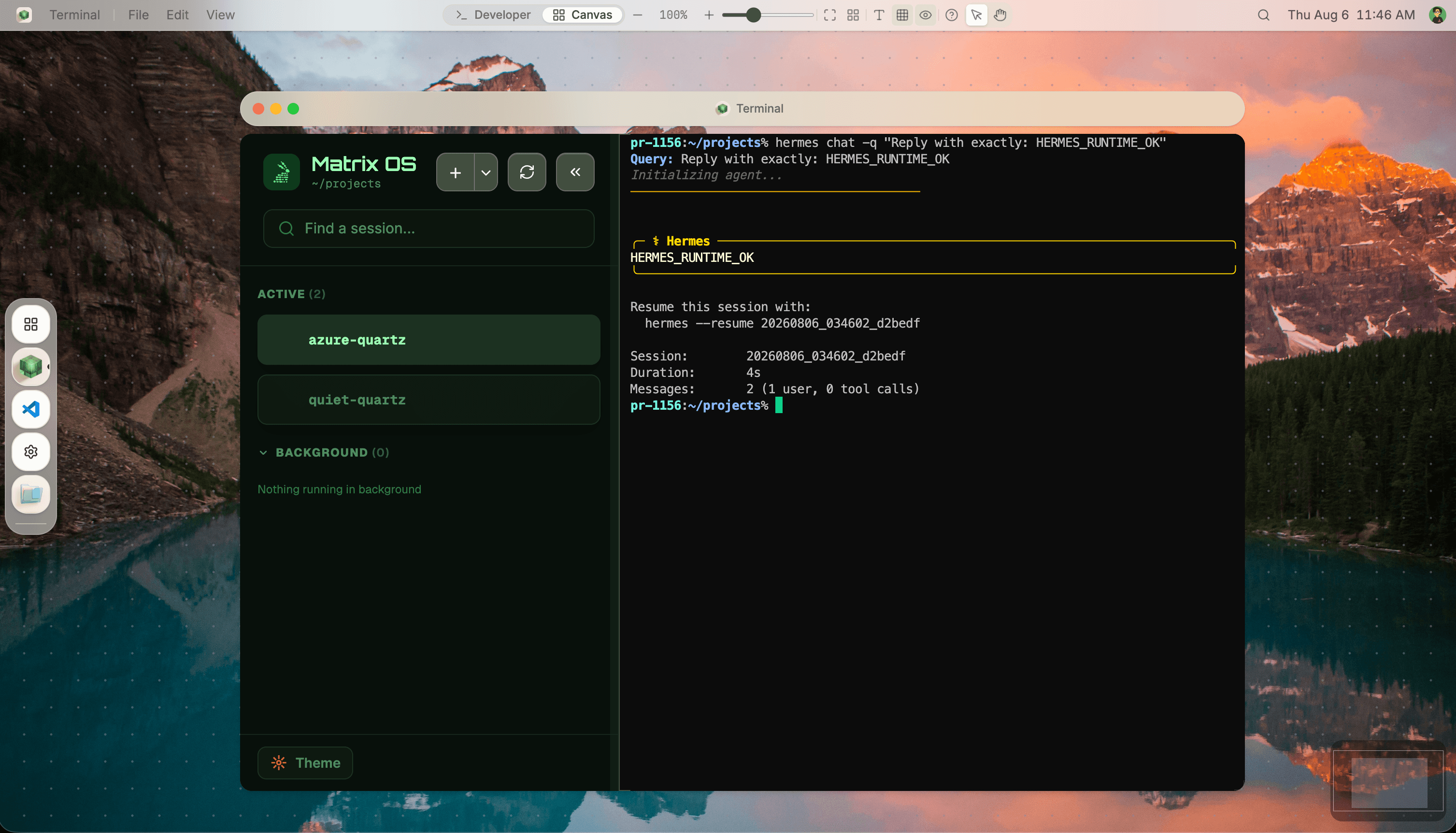
Install and configure OpenClaw
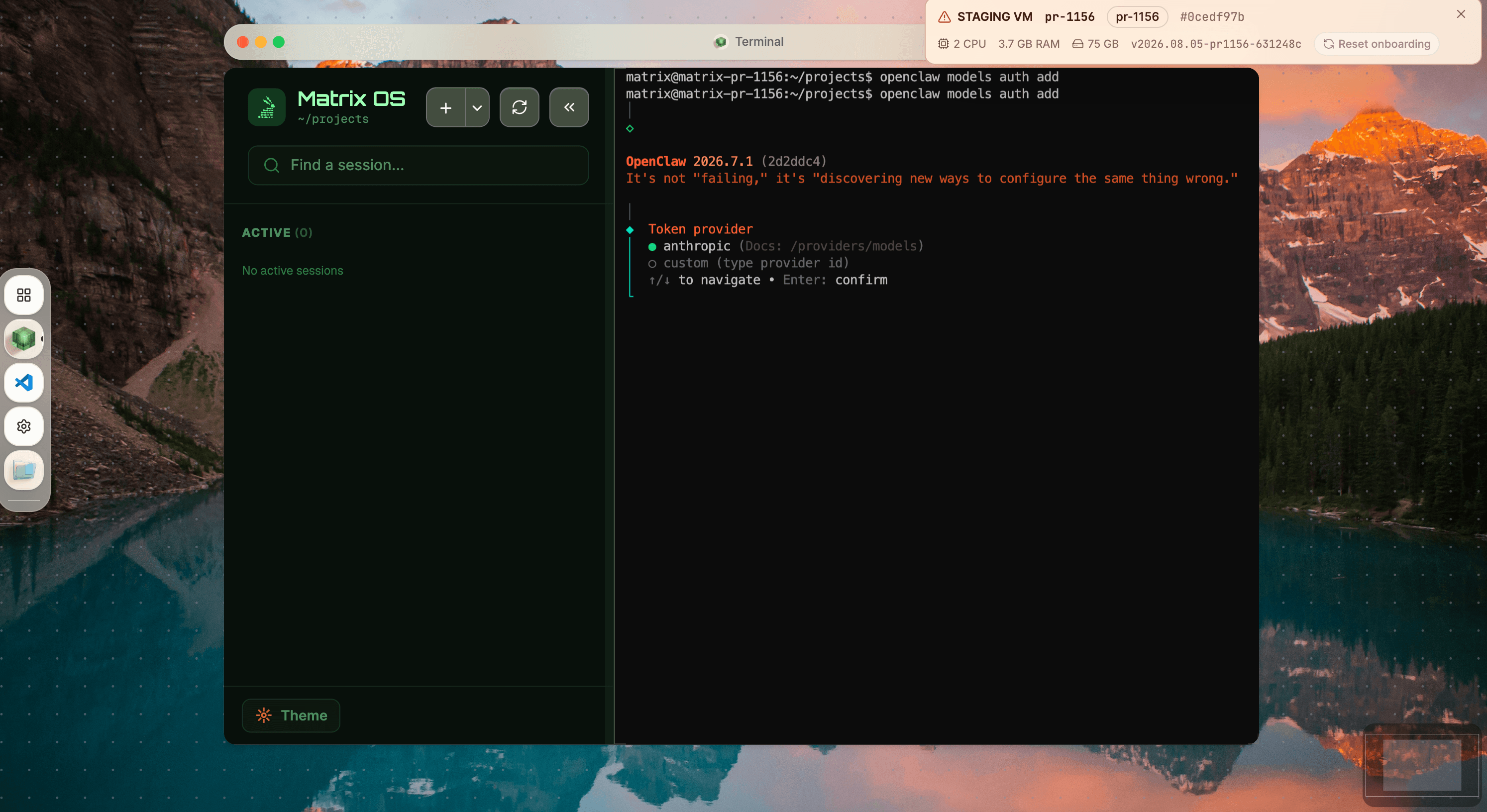
Matrix OS pins OpenClaw to 2026.7.1 for this integration. Keep installation and authentication visible in Terminal so you can review prompts, errors, and the exact version being configured.
openclaw models auth add.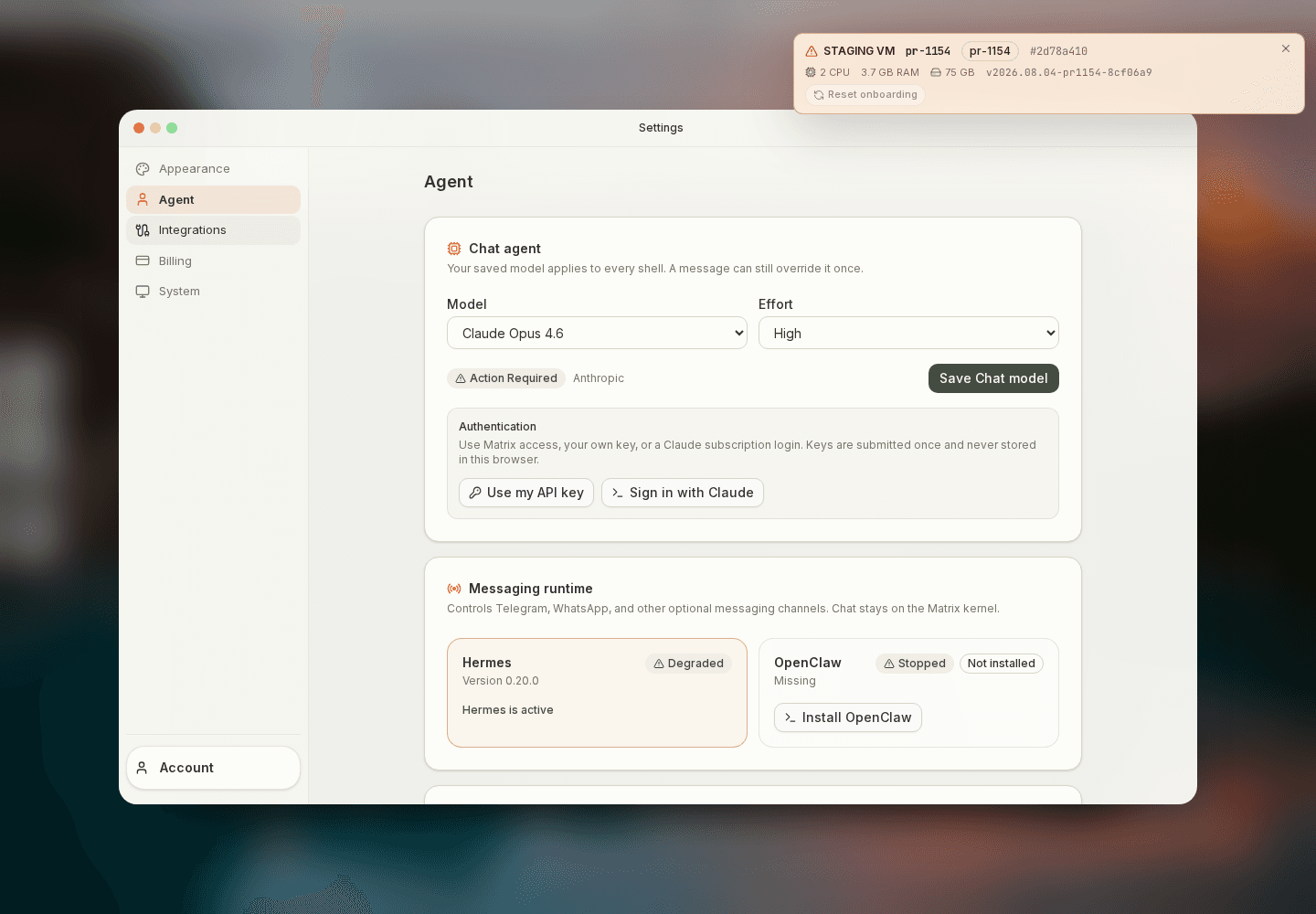
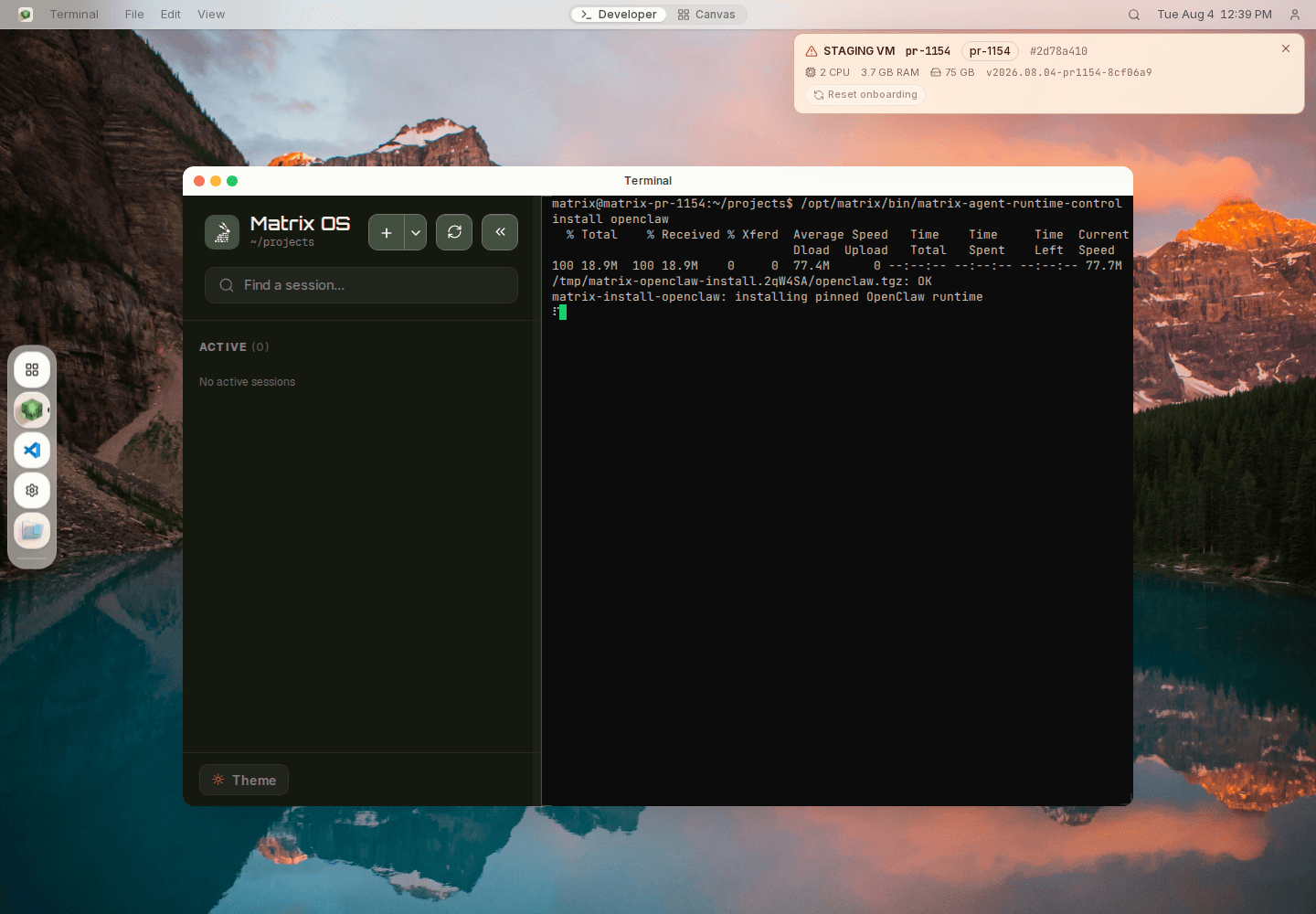
No providers available
This state means OpenClaw still needs model authentication or configuration. It is separate from runtime switching: complete Configure OpenClaw, then return to Settings and confirm both provider readiness and runtime health.
Permissions and ownership
Messaging access is default-deny. Connecting a runtime does not grant it access to every room, file, tool, or integration.
- Messages: grant read and reply access per room. See Messages.
- Files and tools: require explicit owner permission where the selected runtime uses them.
- Integrations: approve each capability separately in Settings.
- Configuration: remains in owner-controlled runtime files on the Matrix computer.
Messaging runtimes versus coding agents
| Hermes or OpenClaw | Coding agents | |
|---|---|---|
| Primary surface | Connected messaging channels | Interactive Terminal sessions |
| Always-on service | Yes, when selected and configured | No — start one per session |
| Installation | Visible Terminal flow from Settings | Visible Terminal flow from the Terminal menu |
| Model setup | Configure the selected runtime | Authenticate each coding agent |
| Matrix Chat kernel | Does not replace it | Does not replace it |
Use Hermes or OpenClaw for connected messaging channels and background message handling. Use coding agents for interactive development with persistent terminal context. See Coding Agents for installation and launch instructions.
How is this guide?